Stay in rhythm
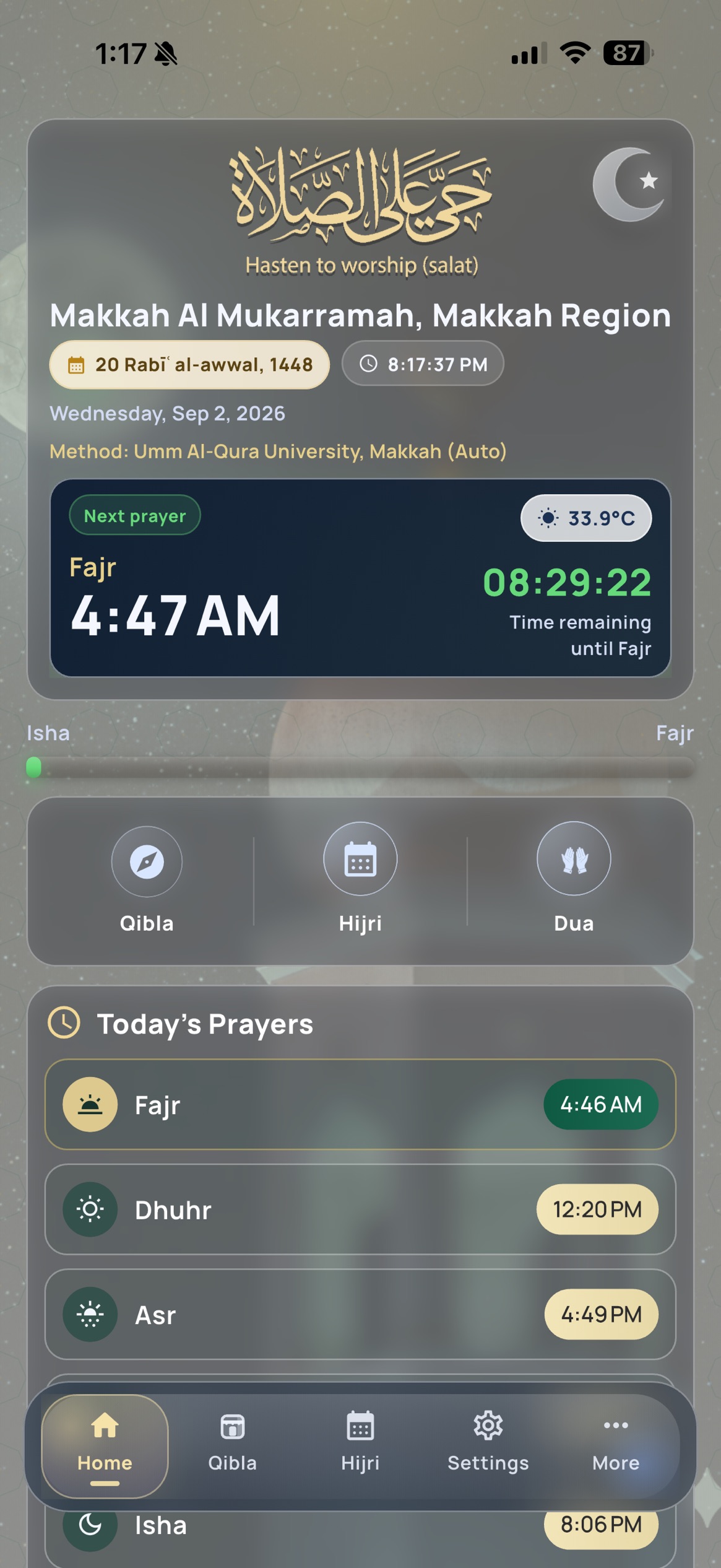
Follow location-aware prayer times, a next-prayer countdown, and configurable reminders.
 PRIORYLABS
Azan by Location · Available now
Prayer times, Azan, Qibla, Siri shortcuts, and nearby masjid guidance — a focused companion for your daily worship, wherever life takes you.

WHY WE BUILT IT
Daily prayer deserves a companion that is calm, clear, and easy to return to. Azan by Location brings the essentials together in one considered experience.
Follow location-aware prayer times, a next-prayer countdown, and configurable reminders.
Use App Shortcuts for the next prayer, prayer times, or a direct path to Qibla.
See a nearby masjid with its address, distance, and directions.
HOW TO USE AZAN BY LOCATION
Explore the main tools, where to find them, and what they are designed to help with.
The Home screen shows today’s five prayer times, your next prayer, and the current prayer progress. Use the location shown at the top to confirm the schedule is based on the right place.
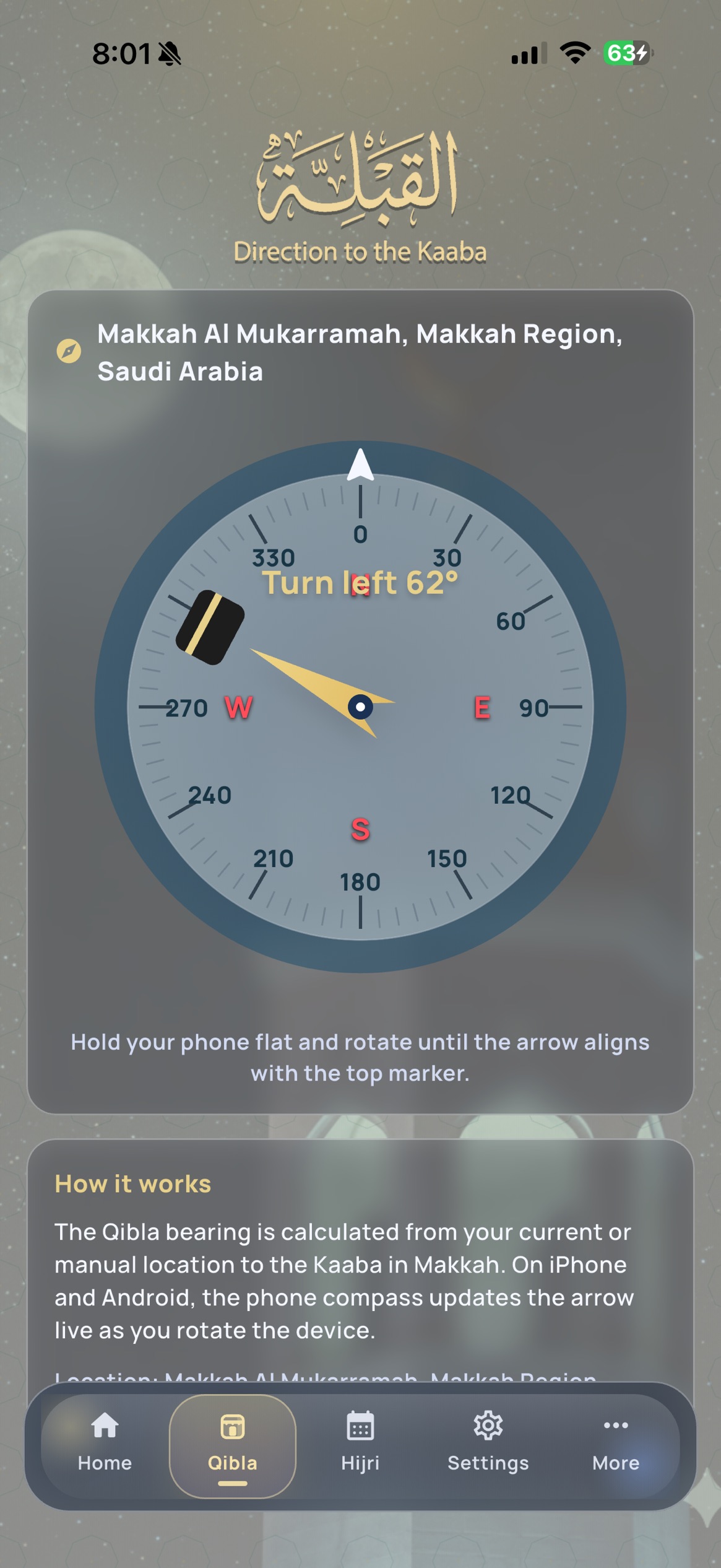
Select Qibla from the bottom navigation. Hold your device flat and away from magnetic accessories, then follow the compass. If it drifts, calibrate your device and try again.
Open Settings to choose a calculation method, Asr method, high-latitude adjustment, manual location, and prayer reminders. These choices can change the schedule.
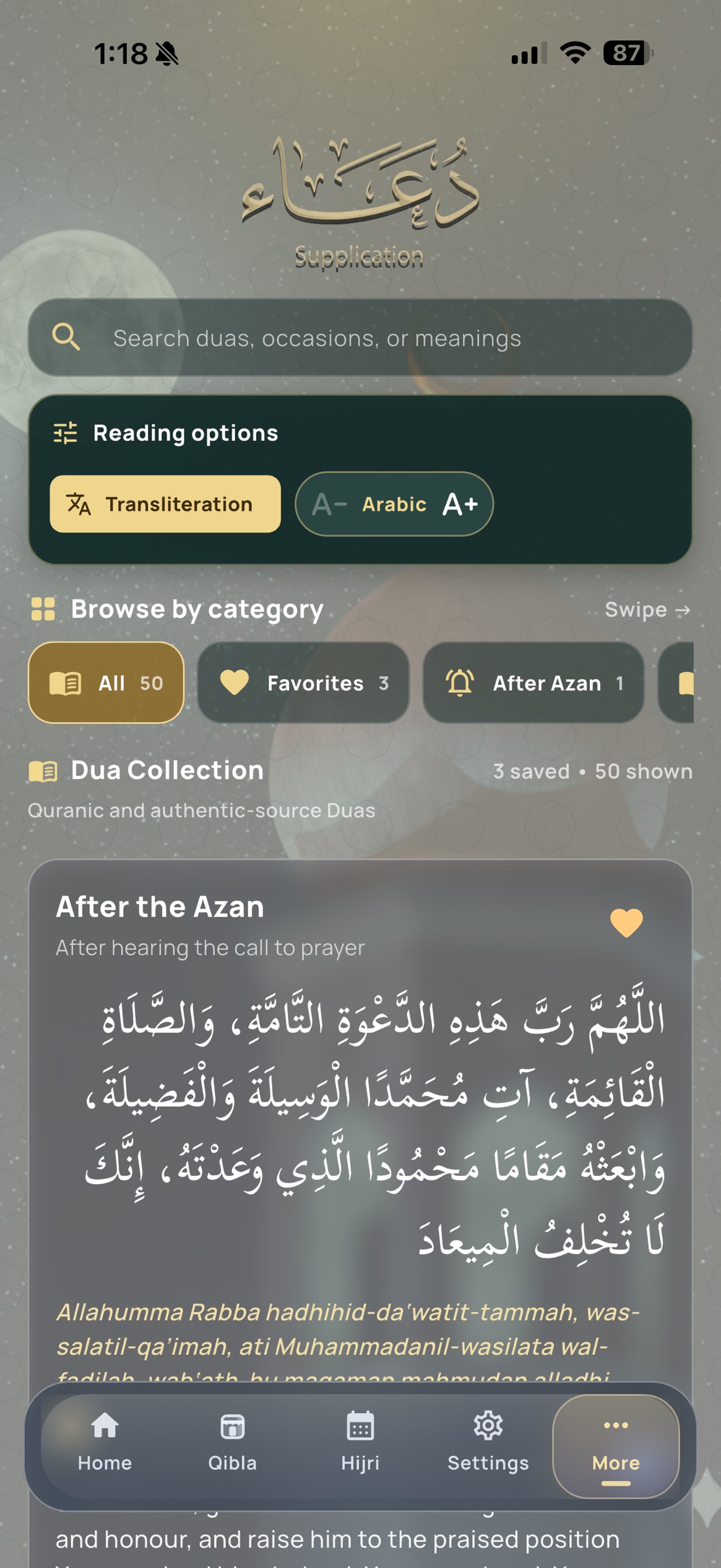
The Home screen can show a nearby masjid beneath the Dua card, with its address and distance. Choose Directions to continue in your preferred maps app.
Open Azan once after installing or updating. Then ask: “What is my next prayer in Azan?”, “Show prayer times in Azan”, or “Show me Qibla in Azan.”
Answers, privacy information, and a direct line to Priory Labs.