Use what you own
Build your wardrobe progressively with garment photos and practical details.
 PRIORYLABS
WearPilot · Available on the App Store
An outfit recommendation from clothes you already own, shaped by your plans, the weather, and your preferences.

WHY WE BUILT IT
Getting dressed should not require browsing an endless digital closet. WearPilot starts with a simple idea: give you one useful recommendation, with a clear reason behind it.
Build your wardrobe progressively with garment photos and practical details.
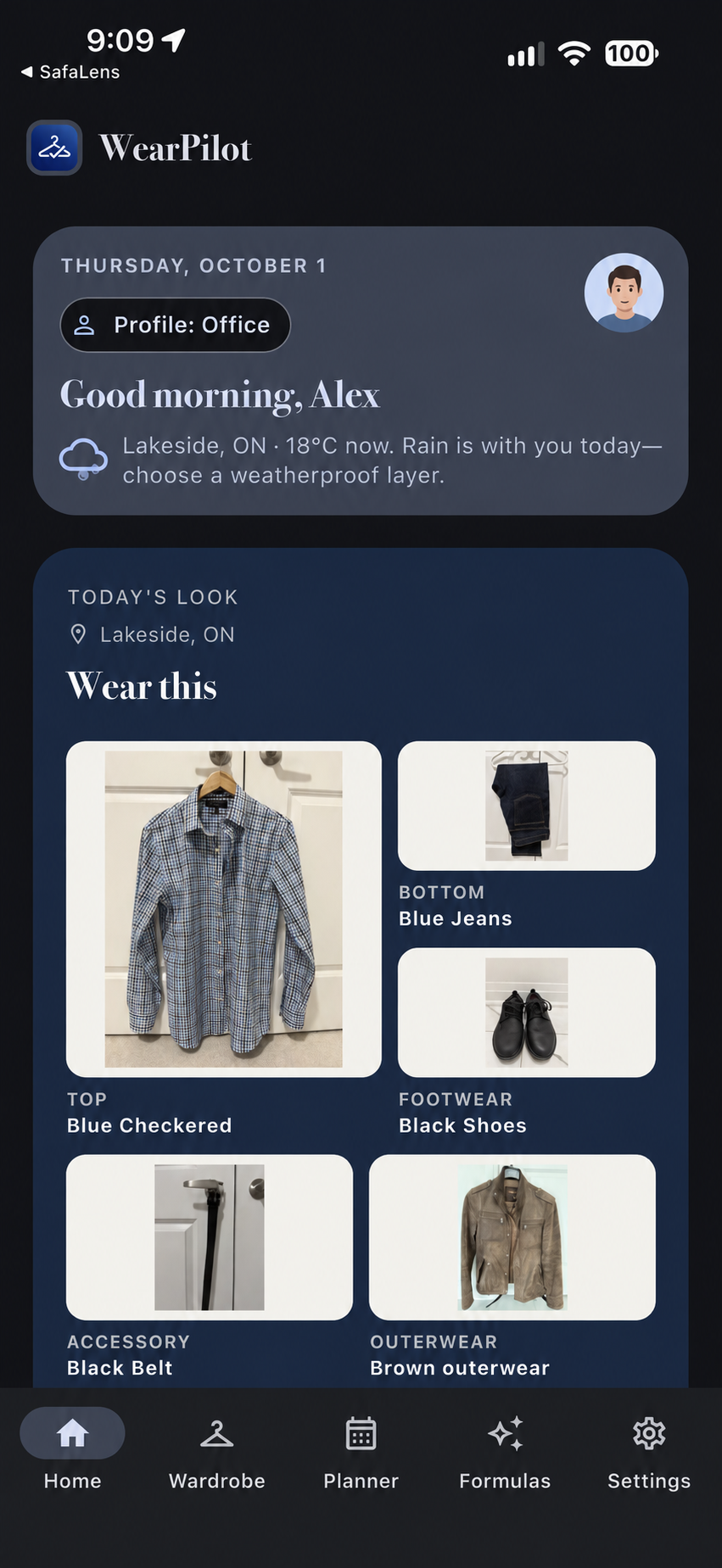
Find an outfit that considers the occasion, weather, and recent wear.
Use App Shortcuts to open today’s recommendation, jump to an office outfit plan, or log what you wore.
Manage your clothing locally, with planning, uniform profiles, and portable backups.
HOW TO USE WEARPILOT
Explore the main tools, where to find them, and what they are designed to help with.
Open Wardrobe and add the pieces you wear most. Add a photo, category, colour, and practical details; the app becomes more useful as your collection grows.
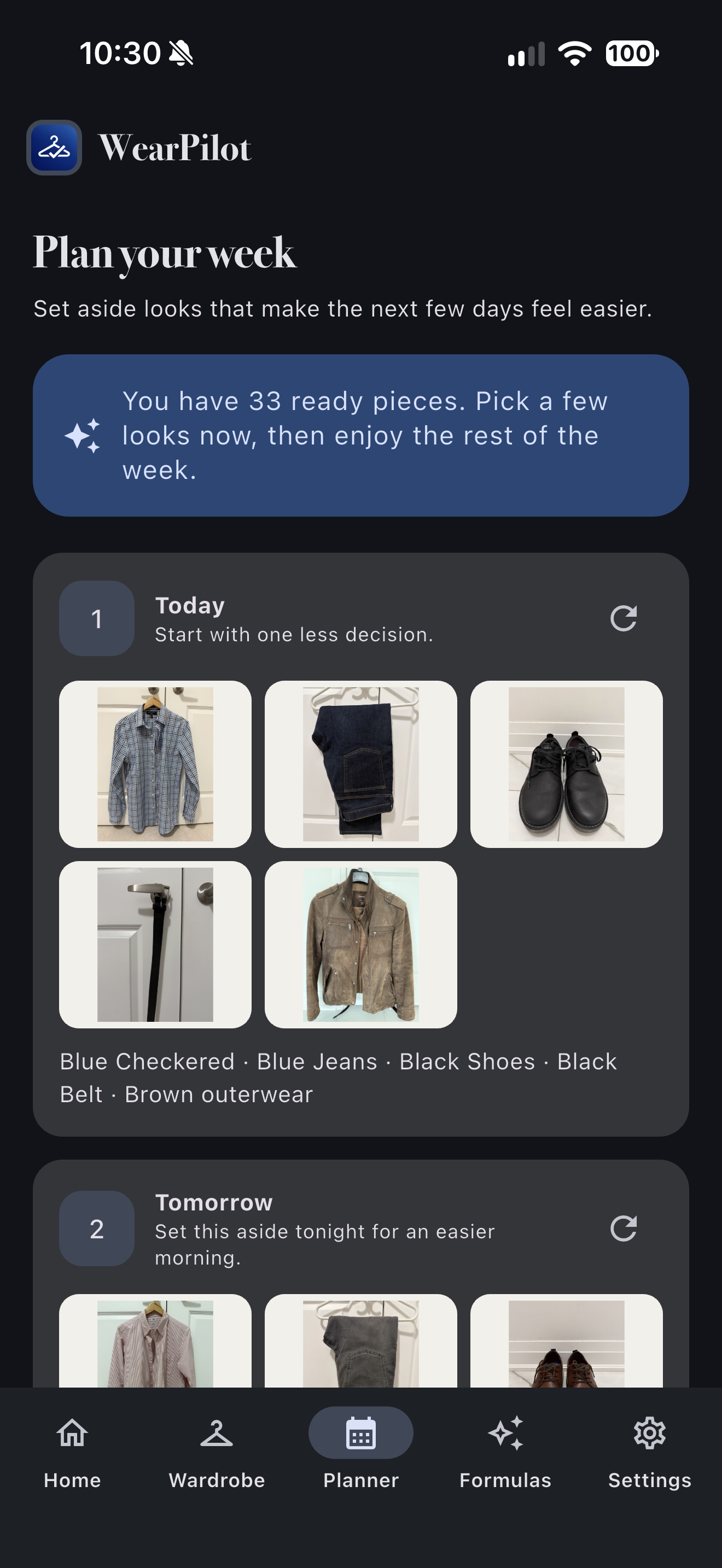
Use Planner to choose an occasion and create an outfit recommendation. WearPilot weighs your profile, available clothes, weather, and recent wear.
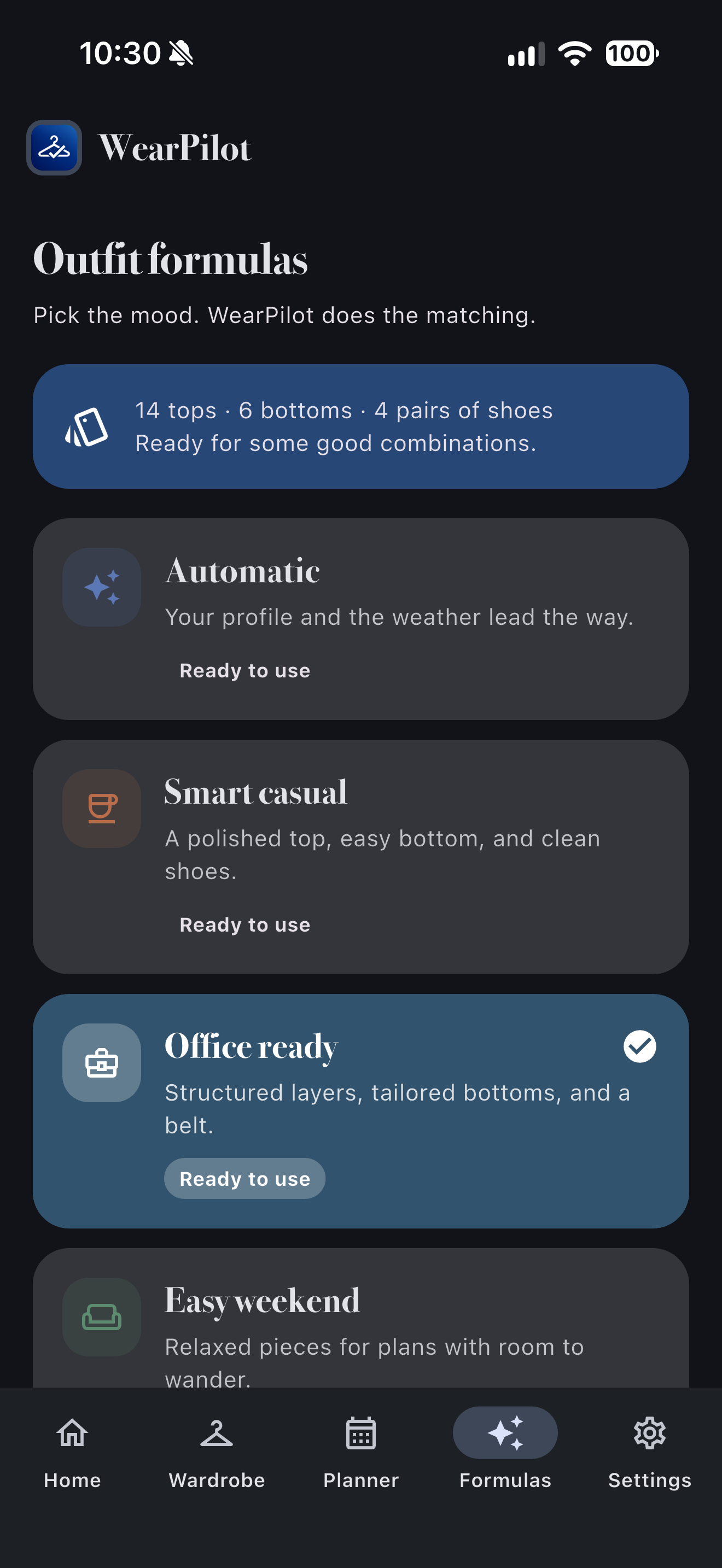
Use Formulas to save repeatable combinations such as office, casual, or travel uniforms. These make recurring decisions faster without losing flexibility.
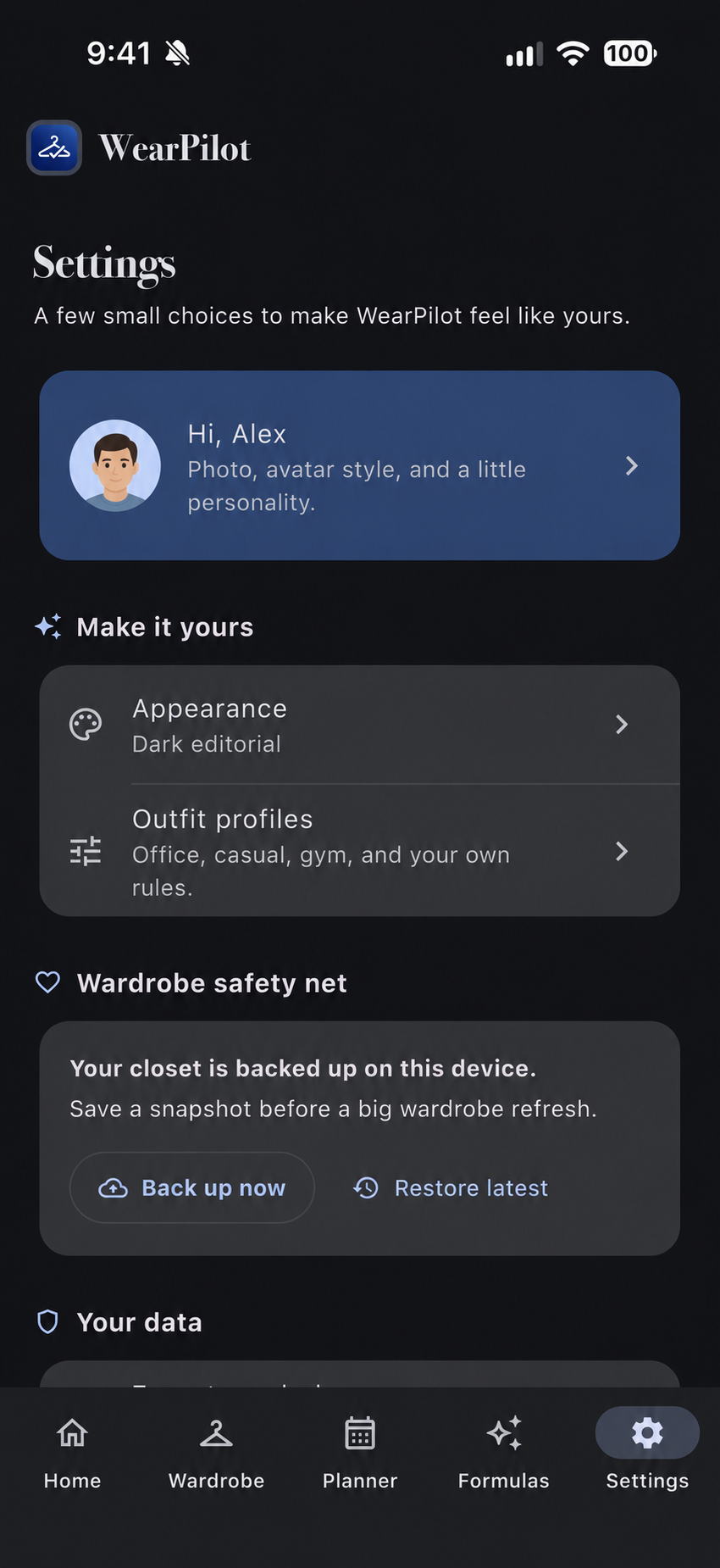
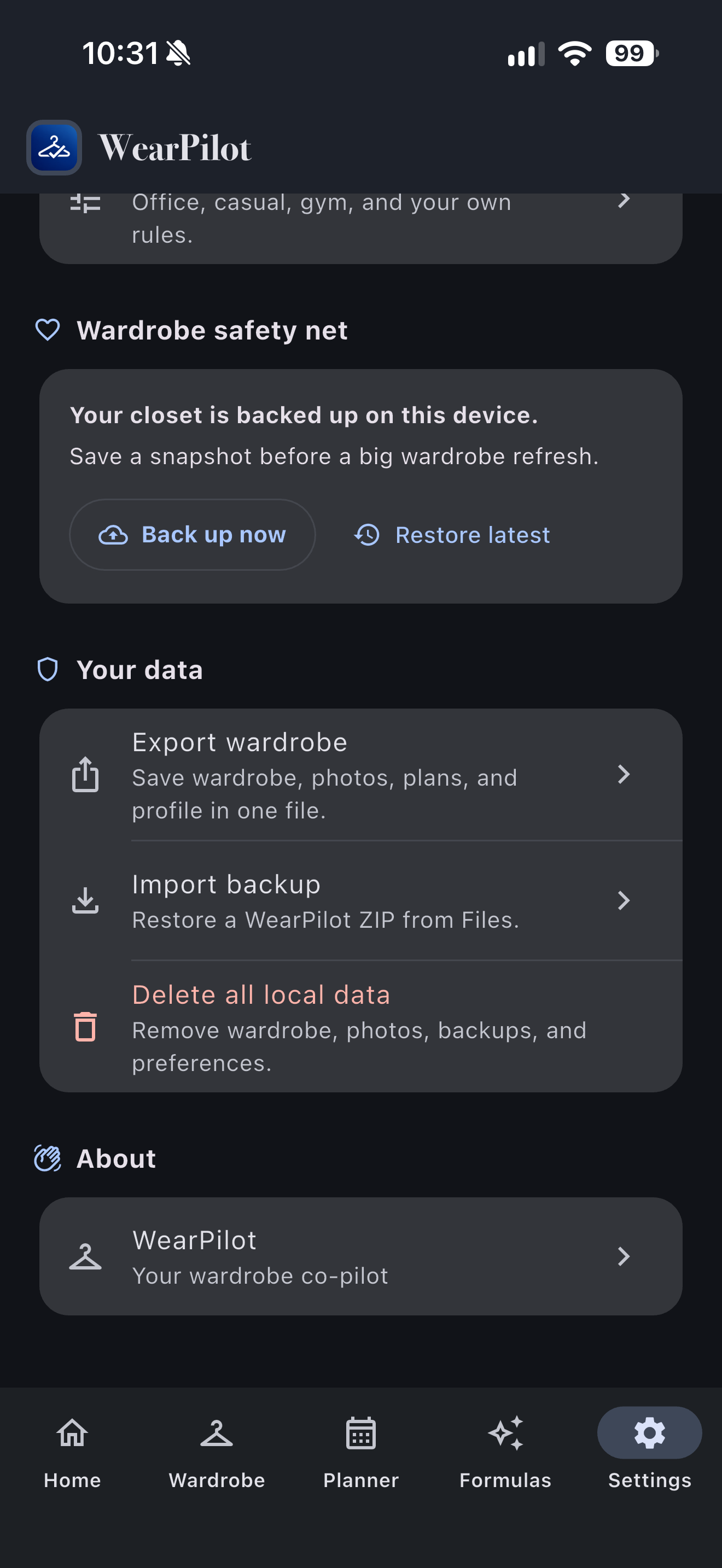
Settings lets you adjust preferences and export or restore a local backup. Backups can contain your wardrobe photos and profile data, so keep exported files private.
After opening the app, use Shortcuts or Siri to ask for today’s outfit, jump to an office outfit plan, or log what you wore.
HOW RECOMMENDATIONS WORK
WearPilot currently uses a transparent, on-device recommendation engine. It does not use machine learning or a remote style model.
Your selected profile sets boundaries such as formality, jeans, sneakers, T-shirts, preferred style, and colours to avoid. Unavailable items and anything you have marked to avoid stay out.
WearPilot combines compatible tops, bottoms, footwear, and one-piece items. It protects basic garment roles, so a complete look stays a complete look.
It ranks candidates using colour pairing, occasion and profile fit, favourites and feedback, weather notes, and recent-wear exclusions. Cold or wet conditions can add warmer, rain-ready layers.
The recommendation becomes more useful as you add accurate categories, practical notes, preferences, and outfit feedback. Your wardrobe data stays on your device.
A CLOSER LOOK
WearPilot keeps daily recommendations, weekly planning, repeatable formulas, and your local backup controls close at hand.
Answers, privacy information, and a direct line to Priory Labs.